Thursday, February 21, 2013

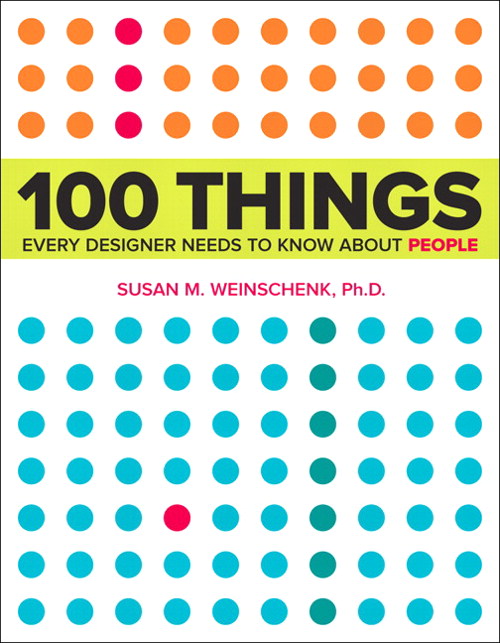
Review: 100 Things Every Designer Needs to Know About People

Work is making me do a book report... A BOOK REPORT!

Okay... by "making me" I mean I volunteered to speak about something I liked at this week's Instructional Design lunch & learn, and now we have to write about what we talked about. I reviewed a book, therefore I'm writing a book report.

Admittedly, it sounds way more amusing the way I initially put it.

Anyway, since I'm writing up this book report for work I figured I may as well share it here too.


Title: 100 Things Every Designer Needs to Know About People
Author: Susan Weinschenk

What's it about?

Never before have you read a title more accurate. It's exactly what it says it is: 100 facts about people (and specifically their minds) that designers, or anyone really, should know.

What's so great about it?

This isn't just a collection of facts based on someone's gut feeling: every point is based on scientific research. This book talks about topics like how people make mistakes, focus their attention, remember, and are motivated, all in layman's terms. It then tells you how you can use these facts to your advantage when designing anything.

So it's brain science in easy to digest nuggets that will help you design your learning/websites/textbooks/apps/whatever in ways that are more effective. Plus, it identifies its sources, so you can check the science for yourself.

What's going to drive me nuts about it?

Because it covers so many individual topics, trying to read this thing cover to cover will give you brain overload. I'd usually make it though about 5-10 topics in a sitting and then have to stop, put the book down, and process. And I say this as someone who's usually happy to read constantly for hours. It's good, but it'll likely be a slow read.

Anything else?

The colour scheme of the book is ridiculously pleasing (what, these things matter to me!).

I'm too lazy to Google the book. Where can I buy it?

*sigh* Here you go:

Monday, February 18, 2013

What Games Aren't

Gamification is definitely one of the more polarizing topics to bring up in instructional design communities these days. That said, let's put the whole "is gamification bad or good" discussion on the backburner for now and acknowledge the fact that, regardless of how any of us feel one way or the other, gamification projects are definitely happening. Unfortunately many of these projects are being proposed by people who don't understand games in the first place.

I've been a gamer longer than I've been an educator, so I admittedly have more than a bit of emotional investment in wanting people to see the value that games have beyond "for funsies". I think that's why I get so frustrated when I see people and companies trot out gamified learning that clearly has made some bizarre and inaccurate assumptions about games in general.

So, from this gamer to non-gamers everywhere, here are two assumptions about games that I'd LOVE people in our industry to stop making.

1) Learning content + a game-like setup = better learning

Shoving the facts you want learners to know into a game doesn't always lead to good bang for your buck. Just ask anyone who grew up in the 80s. We were subjected to a major wave of educational games, many of which weren't particularly effective. Sure, we have fond memories of titles like The Oregon Trail and Sim City, but for all the endless hours of play time we put into these games I think it's safe to say we didn't actually learn much from them.

The intent was good: create engaging games that will also pass on knowledge to the player. Unfortunately, most of what kids learned from these games was simplistic surface information. I mean, seriously, no matter how long you play The Oregon Trail the most you're going to get out of it is that inventory control is important and dysentery is bad. That's not a lot of learning considering the average amount of time a player spent with the game.

Modern gamification sometimes suffers from this problem as well. The group working on the project is so excited about the idea of a gamified system that they don't realize how little their game is actually teaching. Just because something has been turned into a game, doesn't mean that it's actually going to impact the learner much.

2) All games are fun

Games are fun, that's why gamification keeps learner interest, right?

Um... no. Some games (depending on your standards, MANY games) are unbearable, unenjoyable pieces of junk.

Non-gamers typically only have exposure to successful games. You know, things like World of Warcraft, Halo, Angry Birds, or Super Mario. They rarely have much experience with the real gamer experience: wading through a myriad of shoddy, half-baked games in order to find titles that are actually worth your time. Some of these are legitimate efforts to make something great that just didn't turn out as planned, some are cheap efforts to cash in on a trend or licensing tie-in, but regardless of intent, many are just plain not fun at all.

For a great example, check out the 1982 Atari game E.T. the Extra-Terrestrial, a title notoriously considered the worst videogame of all time. This cheap attempt to take advantage of the popularity of the movie lead to a game that's by all accounts tedious and incoherent. Here, see for yourself:


Google "worst videogames" and you'll get list after list of games this bad. Clearly the mere act of using game elements does not, in fact, lead to an enjoyable experience. But, unfortunately, there are way too many people making gamified systems who don't understand this simple fact.


So if you or someone you work with has been asked to create a gamified system make sure you start off with the following:

  • Involve someone who already "gets" gaming.
  • Try playing games yourself and get a feel for the experience. Play both excellent games AND terrible ones so you can learn the difference.
  • Continually check that the gamified system you're designing is actually teaching something both meaningful and worth the investment of player time.
But before you do any of this, really ask yourself if a gamified system is actually the right tool for the job. It's surprising how often it actually isn't.

Sunday, February 3, 2013

Let's chat about skeuomorphism

I had planned to write a detailed post on skeuomorphism, but then Scientific American beat me to the punch with this article that sums up a lot of what I was thinking. So, instead, I'm going to write post on what I feel the article left out. Your pre-work is clearly to go read the article if you haven't already... don't worry, I'll still be here.

...

Good. Now we're all on the same page.

Here's the thing: I don't believe skeuomorphism is inherently bad design. Think about things like the Trash or Recycling Bin on a computer. Even to the biggest technophobe its purpose is instantly understood. That's good design at its finest.

Even my dad knows what this does. That's a miracle.
Skeuomorphism works, I mean REALLY works, when it's being used to acquaint people to something new by using the look and feel of something they already know. It's also good for triggering the emotions people have about the product it's replacing (I know not everyone feels this way, but the page turn effect in iBooks always triggers that love I have for the traditional paper book experience). Finally, when done right, it sometimes just looks cool.

But when skeuomorphism goes bad, boy is it ever terrible. Some people make the mistake of seeing it as the pinnacle of design when in reality it's just one of a myriad of great options that should only be picked if it's the right tool for the specific task you're trying to accomplish.

As I see it, there are two main ways people tend to shoot themselves in the foot with skeuomorphism:

1) Form over function
I'm all for designing things that are attractive, but the job of great design is to make sure that the beauty of the thing you're designing doesn't interfere with the functionality of what it's actually supposed to do.

Here's a hypothetical example. Let's imagine someone designed a delightful phone app that both resembled and functioned like an old rotary phone.

Man, does looking at this thing make me feel old.

Great. Rotary phones have a certain charm to their look and a fun retro appeal... Where's the problem?

The problem is functionality. Who here remembers how slow it was to dial on them? It was painful how long it took to dial a simple number (and heaven help you if you had to make an international call). This is an instance where there was a distinct reason phones with a touchpad took over, and also distinct reason the touchpad design is what smartphone makers decided to emulate for phone apps. It's a noticeably faster and more efficient experience.

While the design of a skeuomorphic rotary phone app could be stunning to behold, the actual user experience would be so much worse than the alternatives that most people would reject it. Form over function is always bad design.

2) Forgetting that just because it looks like a real thing doesn't mean that it isn't also hideous
And here's the real problem with Apple's recent attempts at skeuomorphism. Apple is a company that for years had been known for being on the cutting edge of sleek and sophisticated design. Then they gave us this:

Ugg! My Eyes! The horror!
And people flipped out. The colour... the faux leather... the terrible fake stitching. This was some deeply ugly stuff coming out of Apple for the first time in a very long time, and the aspects about it that were so painful were the ones associated with skeuomorphic design.

Because of this, a large number of people concluded that skeuomorphism was inherently a bad design choice. However, I'd argue that this proves no such thing. The real problem here is that the designers phoned in the look and feel of the newer Apple designs, depending on the misguided idea that simply following the principles of skeuomorphism would make something that looked great.

Look, there is no magic formula for design. Give me any design principle you can think of, and I'm sure I can find you plenty of instances when people have made a fugly mess while using it. Apple made the mistake of being so focused on replicating the look and feel of a leather notebook that they forgot to check to see if said leather notebook was actually attractive.

It wasn't.

That's not a problem of skeuomorphism, it's just pure bad design, and unfortunately it's given skeuomorphism a bit of a bad rap.


So that's my take on the whole skeuomorphism issue. I'd love to get your opinions on it. Also, it would be fun to get some additional examples of times you've seen it done either brilliantly or painfully poorly.

Sunday, January 13, 2013

Making the best of a bad situation: reflections on a lousy class

I love making stuff. Seriously, it brings me absurd amounts of joy to take a bunch of unformed things and turn them into a usable item. So it's no surprise that when I found out my local college had millinery courses I immediately signed up for one. I mean, I like making things and I'd always wondered about hat construction, so it seemed like a no-brainer. This should have been a class I loved attending, right?

As it turned out, not so much.

The course was a terrible combination of a teacher who didn't understand how people learn, a curriculum that was written with little thought for the audience, and a class environment that quickly turned angry and toxic. Basically, the exact opposite of the relaxing and educational experience I was looking for.

In attempting to find value in what can only be considered a horrid experience, I decided to look at the whole experience from the perspective of an instructional designer. If I couldn't enjoy it for what it was, I could at least learn from it as an example of what not to do, right?

So here are some of the key things I took from the experience:

Never assume that just because a person is an expert at a task/role that they're ALSO skilled at teaching it
My instructor was an incredibly talented milliner and clearly passionate about technique and the history of her craft. Unfortunately, none of this translated in being able to teach people about hat making. Unable to put herself in the mindset of a beginner, she gave instructions that jumped around, skipped steps, and were on occasion completely incorrect. Then, when the class couldn't keep up, she'd berate us and insist that we were having trouble because we weren't paying attention, or reading our notes, or skilled enough. It was all us and never her.

I've seen this happen a number of times. Someone is brilliant at what they do, so it's assumed that the're the perfect person to teach others about that topic. Knowing a topic and being able to teach it to others, however, requires two completely different skill sets. An instructor should be chosen because they know their topic, that's a given. But equal, if not slightly more, weight should be given to their ability to translate advanced knowledge into a form that's digestible to newbies. So either hire instructors that already know how to do this, or train your experts on teaching techniques before you let them anywhere near a classroom.

Just because your teachers/facilitators are teaching adults, doesn't mean they don't need classroom management skills
The students were confused by the lessons and frustrated with the instructor... the teacher didn't understand why her students couldn't keep up... as you can imagine, the class turned ugly. Several students got angry in class and one turned out to be a spectacular bully to classmates and and the instructor alike. The class became out of control and the instructor didn't seem like she knew how to reel it back in.

I think some people assume that classroom management skills are just for teachers who deal with kids. They aren't. No matter how old the learners are, there's still value in making sure your instructors know how to guide groups and diffuse tense situations effectively. In this case, an instructor with great classroom management skills could have done a lot to nip bad habits/bullying in the bud and turn the mood of this class around. Institutions need to make sure they arm their instructors with these skills and support them if a class goes sour.

There are still many instructors who don't understand how the internet and technology can help them
For a number of reasons, our instructor didn't have access to an in-class sewing machine. This meant that she couldn't actually show us a number of the techniques we needed to use when making our hats at home. As you can imagine, this lead to many of us struggling to learn from terribly written instructions (and failing miserably). Several of us took matters into our own hands and looked for help on YouTube, but the videos we found didn't always align with how our instructor wanted us to do things. When the instructor gave us project feedback, she went off on a rant on the poor quality of instruction found online. She just emotionally shut down about the internet having any value for her class.

The frustrating thing, as anyone who's ever used YouTube or other online resources to learn a skill could tell you, is that the internet is a fantastic place to learn. Yes, you need to evaluate your sources carefully, but if you can do that then you're set. YouTube in particular could have been a perfect solution to our class' dilemma: our instructor could have curated a channel of videos that displayed the techniques done in the way she wanted and then simply given us all a link to the channel. But because her beliefs about the internet didn't reflect the reality of what was there, she couldn't wrap her head around this idea even when it was suggested.

For those of us in instructional design and training, it's important for us to remember that we're going to encounter people like my instructor: people with preconceived or out of date notions about what technology can and can't do for learning. We need to be aware enough to notice when we're talking to people like this and continue to look for ways to adjust their perceptions in a supportive way.

It's worthwhile to learn a wide variety of skills
Okay, so the class was awful and I'm never going to be a professional milliner, but by the end I could at least say that I understood hat construction in ways I hadn't before. The skills I learned mean I'll be better at assessing the quality of hats I'm considering buying. I also have a much better understanding of why a well made hat costs so much. Plus, the entire experience pushed me to be creative in ways I hadn't ever been before. Those are skills that, for me, are worth having.

Experiences like this are why I believe so much in pushing yourself to learn skills far outside of your comfort zone. They give you insight into other people's jobs and help you appreciate how much time and energy goes into the things you might take for granted.

Take a Flash course on Lynda.com so you can see why it takes your development team so long to build an e-Learning course from scratch, try a sewing course at Craftsy.com so you you can pick out clothing based on construction quality, or take a woodworking class so you can understand why good furniture costs so much more than what you get at Ikea. Broadening what you know about is always worth the effort.


It was a terrible course, but I did learn enough to actually construct hats
So that was my attempt at taking something from a class that was deeply frustrating. I'd love to hear about your experiences with lousy classes and what you managed to salvage from them.

Friday, December 14, 2012

Last minute gifts for the design minded

Tis the gifting season for many us right now. Obviously I'm more than a bit of a design/tech nerd, so I thought it might be fun to put together a series of design-themed presents for people in our industry. I'm covering the full range of skill sets here, from newbie to guru, so hopefully there's something for everyone.


What is it?

Ideal gift for:
That co-worker who always puts together PowerPoint decks that are just slide after slide of bulleted lists. Zzzzzzzz.

There are way too many lousy PowerPoint decks out there in the universe. If you know someone who needs a kind but serious deck intervention, or even someone who's self aware enough to realize their slides are painful but isn't  sure how to fix them, then this book is a perfect gift. Reynolds make creating effective PowerPoint slides surprisingly easy. He also avoids unnecessary jargon and instead explains concepts in simple terms.

While this book focuses on slide decks, most of the concepts also transfer easily to e-Learning, page layout, and user interface design too.

Sidenote: Know someone who's got the concepts of Presentation Zen downpat and wants to move up to the next level? Give them slide:ology by Nancy Duarte instead.


What is it?

Ideal gift for:
Your team member who constantly complains that they "aren't creative."

I used to be an art teacher, so I've heard the "I'm just not good at creative stuff" line millions of times. Honestly, it's nonsense. All it takes to improve is some good instruction and commitment to practice. 

When I hear co-workers say "I just suck at design" I typically point them to this book. Ignore the horrifically bad cover (seriously, how did such a perfect design book end up with one of the worst designed book covers I've ever seen?) and buy this for anyone in your life who needs practical advice on what makes good design. Like Presentation Zen, this book is easy for newbies to follow and does a good job of demystifying concepts and terms.


What is it?

Ideal gift for:
Your friend who always draws ideas on scraps of paper that they inevitably can't find later on.

Have I ever mentioned my love for Moleskine notebooks? The paper is splendid, the binding holds up for the long haul, and they're just so enjoyable to write and draw in. They're pricy, but this is definitely a product where you get what you pay for.

Moleskine makes a number of specialty books for niche markets, and this is the perfect one for instructional designers. Each page has two small panels printed on it, which are perfect for putting together ideas for videos, e-Learning pieces, slide decks... heck, turn it sideways and you can even sketch out handout and workbook ideas. A scrap of paper is easy to lose, but chances are your giftee is going to have a much easier time keeping track of this spiffy notebook.

Sidenote: Know someone who's obsessed with using Evernote? Then here's a good gift idea. Moleskine just partnered with Evernote to put together a physical notebook that can be paired up with the Evernote app using the Page Camera feature. It's a great idea for people who constantly jump between physical and digital notes.


What is it?

Ideal gift for:
Followers of the Cult of Jobs.

Yes, it's a mirror that looks like a MacBook. It is absolutely ridiculous and clearly not licensed by Apple in any way or form. That said, it's the perfect size and weight for a portable mirror, so it actually does serve a purpose other than to collect dust. I have two and they make me happy for no sensible reason.

They're absurdly cheap on eBay, so consider picking up a few for Apple geek stocking stuffers.

Sidenote: They come in two colours (white and silver) and unfortunately the eBay listings sometimes show an image of one colour when the auction is for the other variant. Read the item description carefully.


What is it?

Ideal gift for:
Anyone on a Dev Team.

Know someone who eats, sleeps, and breathes one or more Adobe products? Get them a few of these Adobe Icon-themed pillows. Great for alleviating desk-related back pain or for angrily throwing against the wall when your software refuses to work properly.

Sidenote: This company also makes iOS mini pillows too.


What is it?

Ideal gift for:
Your hipster buddy who will just not stop posting photos of his/her brunch.

I'm guilty of all the typical Instagram-related sins, so I suppose it's not surprising to anyone that when I saw this mini projector on Kickstarter I jumped on backing it ASAP. Basically, it's a tiny battery powered projector. Once you have the projector, you can then order custom mini-slide wheels of your Instagram photos... you know, so you can project all those brunch photos on a wall. Yeah, it's another silly item, but I can't help but find it amusing. Plus, it's practically perfectly aligned with the aesthetic of the typical Instagram addict.

Sidenote: Found this idea after the Kickstarter funding period ended? Click here to go to the official Projecteo Facebook page instead.


What is it?

Ideal gift for:
Hardcore design nerds.

Pantone is most famous for creating a widely used standardized colour reproduction system. It's an industry standard for loads of products and the colour chips used by the system have reached iconic status in the design community. Yes, maybe that's a bit dorky, but hey, we all have our weird dorky thing that we love, right?

Pantone is clearly not run by idiots, so they licensed out the look and feel of their chips and you can now buy a number of Pantone-themed products. Since its the holidays, why not treat the design geek in your life to a set of these amusing branded tree ornaments?


What is it?

Ideal gift for:
Anyone who's ever had a particularly moronic request from a client/SME/boss... so, basically everyone you know.

Based on the hilarious website of the same name, Clients From Hell collects a large number of anonymously-submitted stories about astronomically stupid requests and conversations from people footing the design bills who clearly have no idea how anything works.

*sigh*

While this book is full of all sorts of depressingly-idiotic situations, it'll at least make the person who receives it feel better the next time their SME insists that Comic Sans is a professional font.


So those are my suggestions. If you've got any other ideas for design-themed presents, be sure to leave them in the comments.

Sunday, December 2, 2012

What other media should you know if you're about to write a branched simulation?

I'm currently in the midst of rapidly developing a branched simulation at work. The timeline may be killing me, but the work itself is delightful, even in spite of the fact that it produces documents like this:

This is a map... just trust me here.
If you're not that familiar with branched simulations, think of them like digital versions of the Choose Your own Adventure books you may have grown up with. Basically, you get to read a bit of story, then the story stops and you get to choose from two or more possible options for what should happen next. The story progresses based on the choice you just made, and this cycle continues until you reach the end of your story branch. Because of all the opportunities you have to make choices, one branched story will have a large number possible endings.

So why am I using this type of storytelling for a work project? Because using a branched storyline in a simulation is an ideal way of letting a learner test out how the information they've learned in theory could actually play out on-the-job. Learners are given a real-world scenario, have opportunities to make choices, and then are able to see the results of their choices. When written well, a branched simulation feels immersive to the learner and can help them practice complex skills in an environment that's both close to real life AND low risk.

Branched simulations can used for practicing procedure skills, such as entering customer data into a computer system. A more intriguing option, though, is to use them to have learners practice soft skills, such as coaching or sales techniques. Seriously, what would tell you more about whether a learner has grasped, say, the interviewing content you just taught them: a multiple choice test or an immersive experience where they get actually conduct an interview with an applicant that actually responds what the player asks them?

That said, the more complex the situation you want to use, the harder it's going to be to write well. That's why it's worthwhile to look at some of the more successful examples of branched storytelling before you get ready to write your own. And here's where I'm going to suggest you look completely outside our industry and turn instead to mediums who have been doing this a lot longer than we have: books and video games.

The following is my own personal list of books and videogames that aren't just entertaining, they also offer some of the best examples of what you can do to create a successful and nuanced branched simulation. One that will entertain AND teach at the same time.


Title: "To Be or Not To Be: That Is the Adventure" (book)
What can I get out of it?: The basics!
If you're looking to understand the core basics of how a branched story actually works you could start with the Choose Your Own Adventure books. While they're decent examples of the basic mechanics of this type of storytelling, they're also dreadfully written (I just tried re-reading one as an adult. PAIN! SUFFERING!). You'll be better off with an example that works like the CYOA books, but is actually entertaining to read. So my suggestion is "To Be or Not To Be: That Is the Adventure" by Ryan North. It's a tongue and cheek retelling of Hamlet and it should manage to both make you laugh AND show you how multiple branches of a story work.

If you're reading this before Dec 21, 2012, then you can take advantage of the fact this project is currently raising funds on Kickstarter. If you need something more immediately, though, might I suggest an alternative: the story "Down to the Scum Quarter" by Garth Nix. It's equally hilarious and instructive. Also, he's recently made a PDF of it available for free on his website.


Title: Shadow of Destiny (Videogame - PS2)
What can I get out of it?: The basics... videogame style!
Time to dust off the console. This early-PS2 title was one of the first times I played a game where your choices had substantial impact on the rest of the game. I'll admit, Shadow of Destiny isn't that subtle about what actions in the game count as high-impact choices, but aside from that it's an intriguing look at what the consequences of the player's choices can be.

From a storytelling perspective, it's worth looking at because of how the drastically different endings play out. On your first playthrough you'll think you understood the plot. However, you've only got one piece of the broader story at this point. It's only on further replays that you'll see other sides to the story and realize how much more was actually going on than you initially suspected.


Title:  999: 9 Hours, 9 Persons, 9 Doors (Videogame - Nintendo DS)
What can I get out of it?: Understanding that all important choices don't have to be obvious
When you're ready for something a bit more subtle, try out 999. Much like Shadow of Destiny, this is another game where the story is set out so that it takes multiple playthroughs to understand what's happening. Unlike Shadow, however, the times you're asked to make meaningful choices aren't quite as obvious. There are a lot of dialogue choices to make in this game and a large number of them don't have any impact on the broader plot. Then there are a few that at first glance seem unimportant but turn out to be key in how another character responds to you later. The lesson here isn't that you should try and trick the learner. It's more that all choices in a simulation don't need to have the same weight.

This game also shows how to execute choices and gestures that can seem minor to the player character, but end up being much more meaningful for the other characters. Think about times you've done a small favour for someone that took little effort on your part but made a huge difference in the other person's day. 999 is a good reminder that you should consider including moments like these in order to make the simulation seem more realistic.


Title:  Indigo Prophecy/Fahrenheit (Videogame - PS2, Xbox, Windows)
What can I get out of it?: Dialogue pacing and forcing quick choices
In a real life conversation you don't get to just sit there and spend all the time you'd like determining the best answer. No, you have to think and respond quickly. Many simulations allow you as much time as you want to decide what to say or do next. Indigo Prophecy (or Fahrenheit as it's known outside of North America) instead aims towards realism and actually has a timer start counting down every time a choice appears. Timer runs out? Well then, too bad. You don't get to make a choice anymore and the game just keeps going. Doing this too often keeps you from getting vital information and is detrimental to getting one of the better endings.

Seeing that timer tick down as you're trying to pick an option is stressful, and sometimes you don't make the choice you would if you were given all the time in the world to make your decision, but it's also a much closer experience to real life conversations. Since you're designing a branched simulation to help your learners make the right decision in the moment, not in a vacuum, then it's worth considering adding options like Indigo Prophecy's timer to your sim's dialogue choices.

Nice bonus to Indigo Prophecy? You can currently pick it up for a measly $6 online.


Title: The Walking Dead (Videogame - Windows, OS X, iOS, PS3, Xbox 360, 
What can I get out of it?: Remembering that making the right choice shouldn't always be easy
The most recently published entry on this list is also, by far, the most complex. The Walking Dead combines all of the elements of the previous games on this list: branched storytelling, varying weights to decisions, and timers on your choices. It ups the ante even more, though, by putting you in situations where the "good" thing to do and the "right" thing to do aren't necessarily one and the same. Out of all the branched dialogue games I've played this is the one that regularly gets just how complex human decisions can be. In order to make the best possible choices you have to pay careful attention to context, previous actions, and how the other characters around you currently perceive you.

If you need to learn how to create a branched simulation or storyline, this game should be your gold standard for what the genre can be.


So that's my list of games and books that can inspire you if you're about to write a branched simulation. I'll admit, though, that it's not remotely a full list. If there's a book, video game, or some other type of media that you think does a fantastic job of demonstrating the best of branched storytelling, then I'd love to hear about it in the comments section.


Tuesday, November 27, 2012

Quick DevLearn link

I've been absent from this blog not due to lack of interest, but more due to the arm injuries. As it turns out, rapidly tweeting and blogging for 3 days straight on an iPad/iPhone combo with no keyboard isn't so great for your wrists, especially if they're already injured from millinery class (it's a long story that, oddly enough, makes complete sense if you know me). So I've been keeping my wrists in braces and crossing my fingers to get better.

I'm not all the way recovered yet, but I thought it was worth writing a short comment here about the roundup of 7 recommended DevLearn backchannel resources posted today by David Kelly... a list that I somehow managed to make it on to. Glad to see the wrist injury wasn't for nothing.

Aside from my own content, though, the rest of the list is absolutely worth checking out. It's a good mix of video, blog postings, audio, and mind maps. Something for everyone, really.

Monday, November 12, 2012

DevLearn 2012: So What's Next?

DevLearn can be a fantastic ride. You spend a handful of days surrounded by new technology, innovative ideas, and people who are genuinely excited about pushing the envelope in our field. Chances are by the end of the third day you're just itchy to get to work on making all the ideas you've come up with over the course of the convention happen.

Then you go back home.

That's when the hard work begins. Taking those ideas and tools and actually making them a reality, well, that doesn't just magically happen. It often requires meetings after meetings to sell others on your plans, scraping up the necessary budget and time, managing pushback from people who don't see the need for change, and sometimes dealing with being told no outright. If you're not careful, all of that amazing energy you picked up from the sessions, keynotes, vendors, and other attendees can fizzle out amidst constant jumping through hoops to actually make things happen.

I know I don't want that to happen to me. So here's what I'm planning to do to keep me motivated and  on-task with my DevLearn-inspired ideas, even when the going gets hard.

Tell others about what I saw, especially while I'm all fired up from having just been at DevLearn
When I got back from the convention pretty much the first thing co-workers asked me was "So, how was Vegas?". Rather than just saying it was fun and leaving it at that, I actively promoted some of the best ideas I had seen in hopes of getting others excited about them as well. I mentioned nuggets of interesting info and, if the person I was talking to seemed interested, then I gave them a quick summary and pointed them in the direction of more. It's been a careful balance, because I wanted to infect people with my enthusiasm, but I didn't want to drive them nuts by going on and on about something they're not particularly keen on.

It seems to have been successful, though, since I was asked me to present the highlights of the conference at our next instructional designer meeting. This should be another good way of getting people curious about some of the ideas and mindsets from DevLearn.

Ask for the changes I want now
Hey, the final keynote speaker did say that we should ask for what we want, right? I've been using the the meetings I've had over the last week to start asking my manager and subject matter experts to consider changes, namely broadening the ways we're delivering content. I've had some early wins here with at least getting people to buy in to my ideas and give initial support.

Does it help that I can now name drop the conference and say things like, "Based on what Speaker X said at DevLearn..."? Yes.

Does it also help that those speakers gave me good business cases for why these changes are the right things to do for both our learners and our learning objectives? Yes again.

Continue to advocate for using technology appropriately
I love technology with all my heart, but I'm the first to admit that you can't solve a learning problem by picking out software/hardware first. You have to instead look at what the learner actually needs, and only then pick out the tools to teach them. I was lucky enough at this year's conference to meet a number of people who feel the exact same way.

I've had projects in the past where someone is so incredibly excited about a new piece of software or hardware that they want to shoehorn it in even if it's not the best solution for the learners. The next time this happens, I'm going to continue to advocate respectfully for basing our decisions on the learners rather than wanting to use a shiny new toy. However, this time I'll do this knowing there are a large number of others in the industry that back up this viewpoint.

Get more involved with the online community
You know what was unexpectedly fantastic about DevLearn? Getting to interact with all my fellow learning professionals on the backchannel. It may be the thing I miss most now that the conference is over.

In the past I've been rather shy about actively engaging with the online community of learning professionals, but I'm going to push myself to do more from now on. There's serious value in tapping in to the insights and experiences of people in the same role as me, but outside of my workplace. I'm also hoping that getting involved with the community will help push my ideas and project even farther.

The only thing I may need some pointers on is where exactly are the best places for chatting with others in the industry.

Keep sharing
Twitter and this blog helped me reach a surprisingly large number of people during DevLearn, so I'm going to keep up with both and see how it works out.

As well, one of my conference highlights was hearing how people tackled different learning projects, so I thought I'd do what I can to contribute to the conversation by sharing my own work when possible.  I work for a financial institution, so I obviously I have to edit what I share because of privacy issues, but I'm hoping what I can disclose about my projects will be enough to help others learn from my successes and problems, and maybe even help me get some constructive feedback along the way.

Continue learning
If there's anything a technology-based conference will remind you of, it's the fact that you have to continually keep building your skills in order to stay current. I'm definitely going to be making the most out of YouTube, blogs, and my Lynda.com membership so that I can keep broadening and deepening my technology skills.

That said, if there's anything to be noted from DevLearn's choices in keynote speakers it's that there are insights to be gained from outside the industry. That's why I'm going to keep challenging myself to learn skills that aren't directly connected to instructional design. For instance, right now I'm taking a millinery course at a local college. Sure hat making is unlikely to directly influence how I design a course, but you never know what sort of design principles or life lessons I could gain from it that might indirectly help me find new or better ways to teach.


So those are my plans for the next year. I'd love to know what you're doing to keep motivated post-conference?

Sunday, November 4, 2012

DevLearn Bonus content: "Coca Cola: Taste Around the World"

This ridiculous bonus content is dedicated to my co-workers who enticed me to attempt this.

This is a tale of woe and pain. It is a cautionary tale that is not for the faint of heart. Learn from my mistakes so that you too will never feel the curse of "Taste Around the World".

Okay, I'm being melodramatic and silly, but this really is an opportunity for you to avoid the terrible mistake that I did: the mistake of trying to take on the Coca Cola Taste Around the World all on my own.

It all started with searching for things to do in Vegas while I attended DevLearn. Not traveling with anyone from work, and not knowing if I'd make any friends at the conference, I Googled "bizarre things to do in Vegas" to try and find something off the beaten track to check out on my own. When I saw that the Coca Cola store near my hotel had a drink platter that featured a number of unusual soft drinks from around the world, I knew I had found something I had to sample.

I had tried a smaller version of this at Epcot Center in Florida and I have an exceptionally high sugar tolerance, so I thought I could tackle this one by myself. I headed off to the store Thursday night, scampered up to the second floor, ordered my platter, and was presented with THIS:

Oh good god, what had I gotten myself into!

Soooooo.... yeah. Any normal person would have sensibly had a sip of each and called it a day. I'm clearly not a normal person, though, so I pulled out a pen, started downing the entire first cup, and began taking notes.

I'd say I got through the first tray before I started feeling a bit off, and that was with giving myself permission not to finish 2 of the drinks due to their intolerably bad taste. And yet, I kept on going. Why? An inherently stubborn and persistant personality I suppose. I'll also accept naiveté... or in-the-moment stupidity.

I continued and just barely survived. It takes a lot for sugar to make me ill, but this completely did me in. However, my mistake can save you since I took detailed notes about each drink. Learn from them and save yourself!

Tray 1 (the front tray in the photo)
1) Inca Kola from Peru
Smells like: Cream soda
Tastes like: Has a light, sweet flavour (much like the Kola Champagne pop that you can get here in Toronto).
Overall: I liked this very much


2) Sunfill Blackcurrant from Mauritius
Smells like: Blackcurrant! So yeah, this was well-named.
Tastes like: Soda water mixed with a splash of Ribena
Overall: Okay


3) Stoney Tangawizi from Tanzania
Smells like: Ginger beer
Tastes like: Slightly sweeter ginger beer
Overall: Good


4) Sprite Ice from Korea
Smells like: Nothing, oddly enough
Tastes like: A less-cloying Sprite. Did I mention I don't like Sprite?
Overall: Meh. Didn't finish drinking it.


5) Vegitabeta from Japan
Smells like: A bit like McDonald's orange drink
Tastes like: A bit like orange gatorade, but less citrusy. Not carbonated.
Overall: Great!


6) Sparletta Sparberry from Zimbabwe
Smells like: Cherry
Tastes like: Soda water mixed with cherry Nyquil
Overall: Meh. Didn't finish drinking it.


7) Smart Watermelon from China
Smells like: Melon
Tastes like: Melon Ramune
Overall: Yummy


8) Kinley Lemon from England
Smells like: A tiny bit like lemon
Tastes like: Slightly less bitter grapefruit pop
Overall: Quite tasty

Tray 2 (the back tray in the photo)
1) Lift Manzana from Mexico
Smells like: Caramel sweet
Tastes like: How it smells
Overall: Decent


2) Fanta Kolita from Costa Rica
Smells like: Cheap strawberry candy
Tastes like: A more cloying version of Inca Kola
Overall: Okay. Didn't finish drinking it.


3) Krest Ginger Ale from ??? (wasn't listed on the card)
Smells like: Weak ginger ale
Tastes like: Weak ginger ale
Overall: Decent


4) Ciel Aquarius from Mexico
Smells like: Apple juice
Tastes like: Cheap hot cider powder mix... but cold. Not carbonated.
Overall: Bad. Didn't finish drinking it.


5) Sunfill Mint from Djibouti
Smells like: Mint mouthwash
Tastes like: A liquid breath mint
Overall: Surprisingly not bad in the moment. May have been what made me so spectacularly ill later on.


6) Smart Apple from China
Smells like: Apple
Tastes like: Slightly sweeter sparkling cider
Overall: Good


7) Beverly from Italy
Smells like: A bit like Brio Chinotto
Tastes like: BITTER! OH GOOD GOD BITTER! DO NOT WANT!
Overall: HORRID! Didn't finish drinking it.


8) Mezzo Mix from Germany
Smells like: A bit like tamarind
Tastes like: Too sweet! Nasty!
Overall: Horrid! Didn't finish drinking it.

So now you know what to try and what you should skip for the sake of your stomach. In general, I'd say do the platter with at least one friend and stay the heck away from the Beverly and Mezzo Mix.

The trip to the Coca Cola store wasn't a full loss at least. I did find this spiffy hat while I was there:

You're not fully dressed without a polar bear hat!


DevLearn 2012: Final thoughts

DevLearn 2012 is over and I'm finally back home in the frozen tundra that is Toronto, Canada. Okay, it's not that bad, but it is awful in comparison to Vegas right now. While I go through learning withdrawal (yes, this is the nerdiest withdrawal out there. I'm more than okay with that), here are some final thoughts on the convention:

DevLearn is incredibly invigorating
I've never found anything else out there that leaves me as inspired and excited about my job as this conference. Most of the people who attend and/or speak at DevLearn are deeply passionate about that they do, and that passion is entirely infectious. Going to DevLearn recharges your creative batteries and pushes you to do even more than you're already doing in your career. That alone can be worth the cost of entry.

It will also sometimes be a bit depressing
Unless your employer has a massive training budget, you are going to see some things at DevLearn that you'd like do but can't afford to. This is entirely heartbreaking if you see something that would be an amazing fit for your learners.

Thankfully the inspiring outweighs the depressing though, and also there's a good chance you'll bump into some topic or product that will help you do something you previously thought you didn't have the budget/time/skills to pull off.

You'll leave the convention more energized than depressed, but there's a good chance that at least one thing you saw and can't currently do will hang with you long after you leave Vegas.

There is no way to see everything you want to
There will inevitably be multiple sessions that you want to attend that happen at the same time. That, and/or you won't have enough time to talk to every vendor you want to. It's an unfortunate reality that, unless you have a time machine, there will be things you want to see and can't. If you're traveling with co-workers, split off and report back to each other. If you're on your own, check the Twitter backchannel to see if anyone covered the session you couldn't attend. You can also check the DevLearn website to check if the speakers posted their slide deck after the fact.

People at DevLearn are, generally speaking, some of the nicest and most collaborative people you'll have the pleasure of meeting
Seriously... I am always blown away by how fantastic the people who come to this convention are.

If you are attending DevLearn by yourself, Twitter can be your best friend
Last year I attended the conference with a co-worker and had a fantastic time. This year it was just me on my own though, which isn't ideal for a shy extrovert like me (yes, I'm aware that's a bizarre combination).

Here's where the Twitter backchannel came in handy. Since I didn't have anyone to chat with next to me about the sessions, I started chatting online with people who were posting interesting/amusing/funny things using the DevLearn hashtag. That led to meeting up with several of them in person, which made the convention substantially more fun to attend.

In general, using Twitter and the DevLearn hashtag can be a great way of finding people with similar interests/job roles/areas of focus to you, which is part of what going to a conference is all about, right?

If you are Tweeting non-stop on a tablet or phone without a keyboard, you may injure yourself
Yeah, so that happened.

My hands, wrists, and elbows are not terribly impressed with me right now. I probably need to buy keyboard attachements for my devices for next year.

The Jean Philippe patisserie in the casino level of the Aria is mindblowingly good
Seriously.

Vegas is WEIRD
Case in point, here are some things I saw during my last 2 trips:

This is NOT food!

Umm, can I avoid the gunfight altogether?

They were not joking about this.

These are not the slot machines you are looking for.

Go home Mario & Luigi! You are DRUNK!

In short...
DevLearn continues to be worth the considerable time and expense to go to. I definitely wish it wasn't in Vegas, but what can you do?

Will I go next year? If work pays for it, definitely. If work won't pay for it... well, it's a lot of money but I'd definitely consider it.

But now... now comes the hard part: actually executing the amazing ideas from the convention.

Edit: In case you're interested, here's a link to all the available downloadable DevLearn resources. Enjoy !